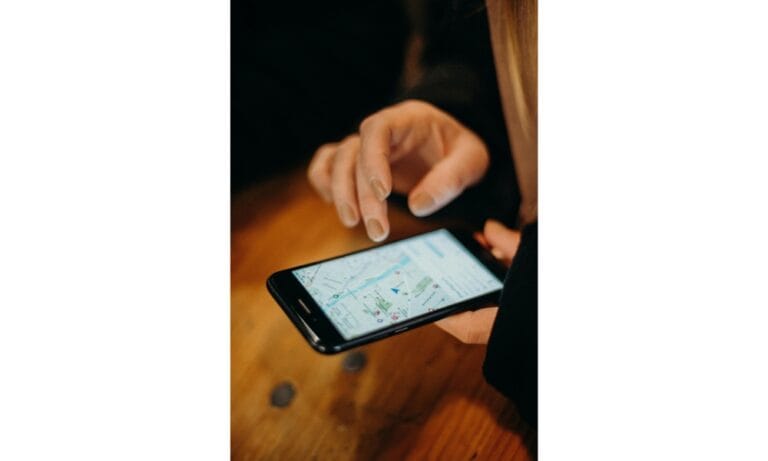
When you travel solo, using google maps offline mode helps you navigate even without mobile data or Wi-Fi. Downloading maps in advance ensures you can find your way in unfamiliar cities and remote areas. This simple preparation reduces stress and keeps your journey on track, even if connectivity drops.
Why offline navigation matters?
Getting lost in a new destination can be daunting, particularly as a solo traveller. Offline maps provide turn-by-turn directions and location details without requiring an internet connection. Although features such as live traffic updates are unavailable, the core navigation functions remain useful. This reliability is especially valuable in places with patchy mobile coverage or expensive roaming charges.
For a deeper explanation of why offline maps are so valuable during international travel, you may also find our guide “Why Downloading Offline Maps is Essential for Stress-Free Travel” helpful.
By relying on offline maps, you gain greater confidence to explore. You can venture off the beaten path without worrying about losing your way. This freedom is one of the joys of solo travel and helps you make the most of your adventure.
How to use Google Maps offline mode?
To prepare offline maps, open the Google Maps app and tap your profile icon. Select “Offline maps” and choose “Select your own map.” Zoom in on the area you plan to visit, including airports, transport hubs and accommodation zones. Download the map while connected to strong Wi-Fi so you do not use mobile data.
It is also sensible to save important locations such as your hotel, nearby cafés and emergency services. These bookmarks make navigation easier and faster. Pair offline maps with a portable charger to keep your phone powered throughout the day, ensuring navigation remains available when you need it.
Benefits of offline maps for solo travellers
Using google maps offline mode reduces the anxiety of navigating unfamiliar streets. It allows you to explore with greater independence and flexibility. Whether you are searching for a local attraction or returning to your accommodation after dinner, offline maps help you stay oriented.
This approach is particularly useful in destinations where mobile networks are unreliable. You can continue travelling with confidence, knowing that your maps are accessible even without an internet connection.
Solo travellers who want an additional safety layer may also consider using a GPS tracking tool. You can learn more in our article “GPS Tracking App for Personal Safety and Solo Travel.”